
Documentation Index

Fetch the complete documentation index at: https://docs.insourcesystems.com/llms.txt

Use this file to discover all available pages before exploring further.

Your personal calendar allows you to view scheduled shifts, organization-wide markers (pay day, holidays, quarter ends, etc), add sign ups, input leave, and more.

Overview

The calendar will display all events you are assigned to. Scheduled working events will display the start time, event type abbreviation, and the position you are assigned. Non-working events such as sign ups and leave will not display the position.
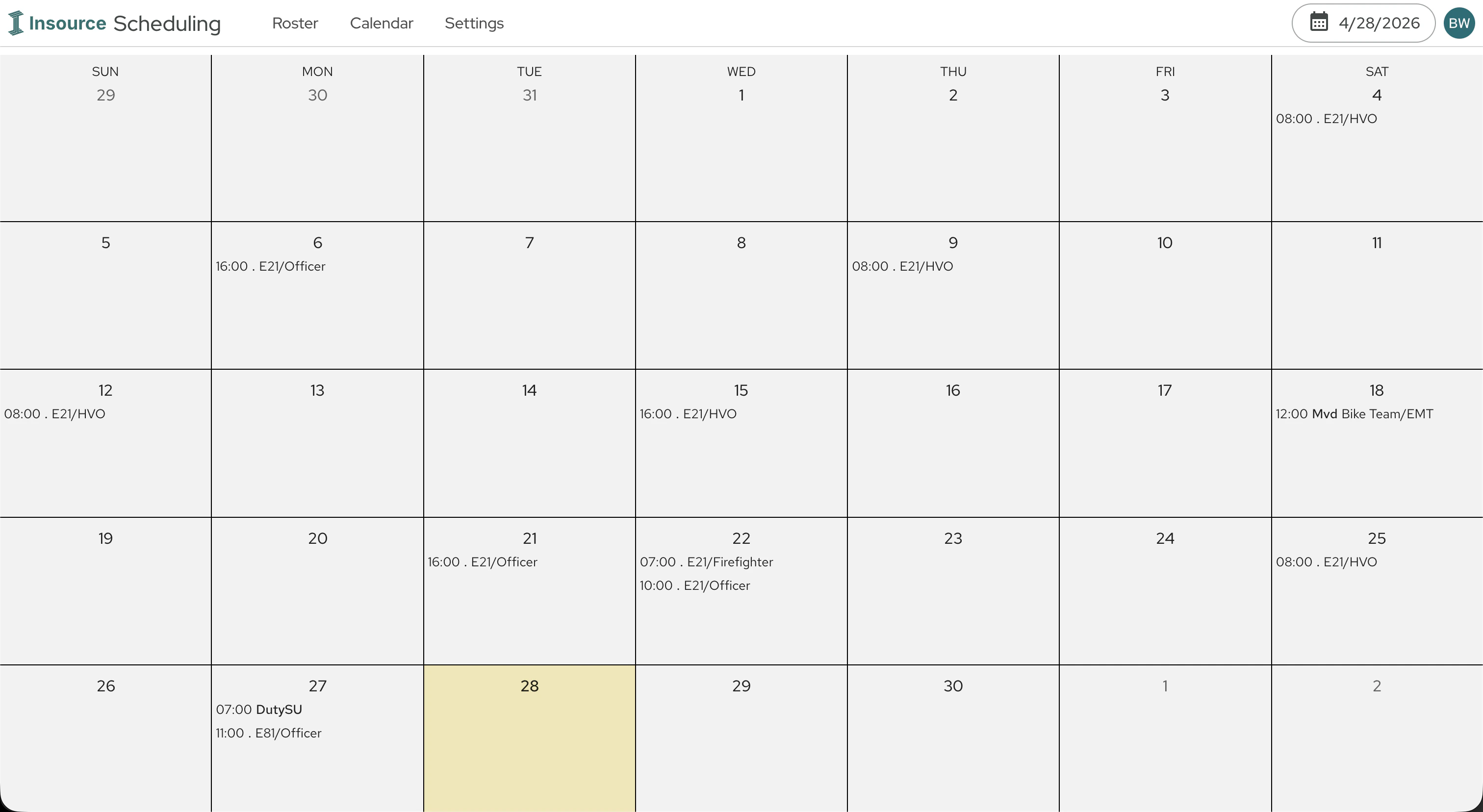
Personal Calendar

Events

An event is any item you are assigned to on your calendar. Events can be a scheduled working day, a sign up request, a leave request, etc. You can add events to your personal calendar by clicking a day on your calendar. The events you can add to your calendar is configured by your organization and may include sign up and leave requests.
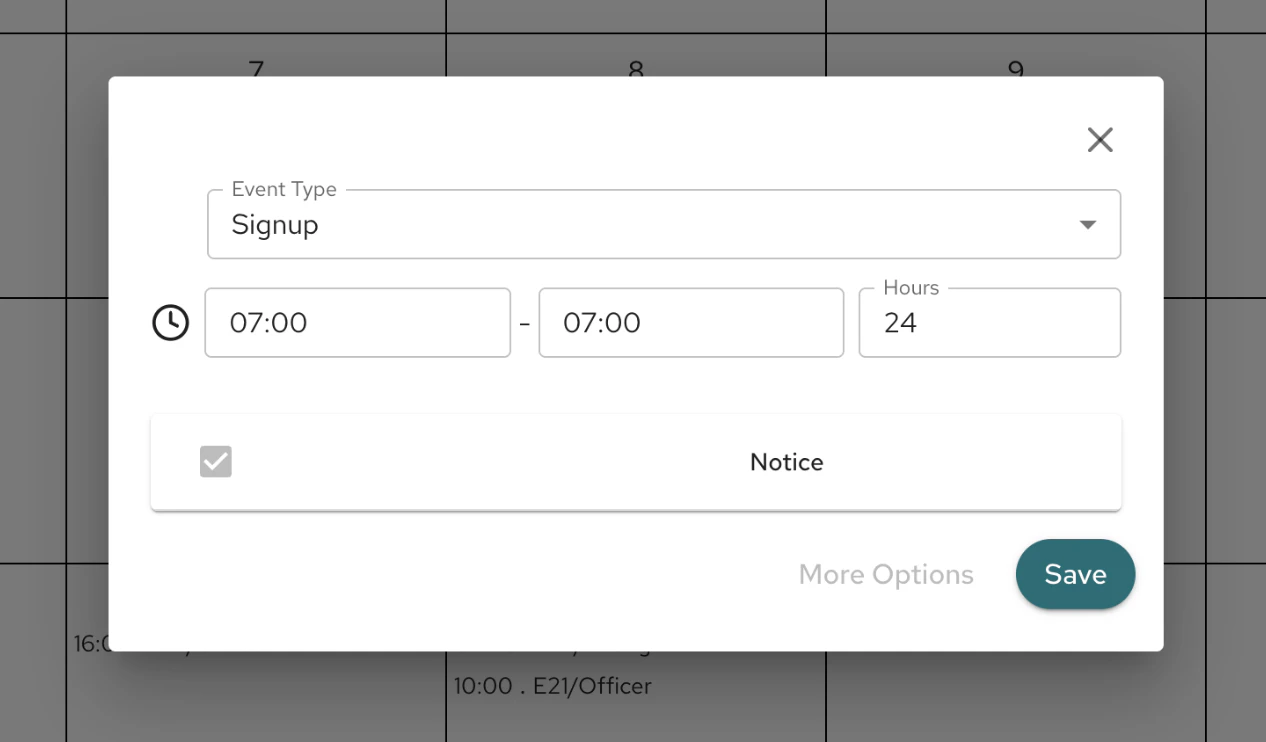
Personal Calendar Add Event Enlarged
While some organizations allow you to remove an event, such as a sign up event, others opt to create a Remove Sign Up code to allow for better audit tracking. You should consult with your organization policies on when and how to use specific event types.

Event Types

Event types define the purpose of the event. Event types are assigned an event mode, which can be working, non-working (leave), sign up, and advisory (penalty charges, no-impact events, etc). Event types are organization specific. Some common choices include:
  • Scheduled Day
  • Overtime
  • Detailed Out
  • Vacation Leave
  • Trade of Shift (On/Off)
  • Moved (Moved outside of your assigned unit or company)
  • Moveup (Moved within your unit or company)

Notices

Notices display at the bottom of the manage event panel. These can display both restrictions/safeguards implemented by Insource, as well as violations and warnings configured by your organization. While some notices are simply warnings and alerts, which require acknowledgement by checking the box next to it. Others will restrict you from creating an event using the selected parameters. Examples may be entering leave before a specific time, duplicate event types, signing up over a working period, etc. Consult your organization on the rules surrounding use of certain event types.